
Member
Member
Windwood   11-02-2019, 16:24
#1

I have created pages, menu items, and menus and published everything but I can't figure out how to make the menu show on my site. Any assistance is appreciated. Thank you. Using zpArdoise theme. http://www.rickhartigan.com/zen/


Administrator
Administrator
acrylian   11-02-2019, 16:45
#2

I have modified your topic title to include the theme. Standard themes show default menus automatically. Here you probably have to enable the menu manager and create a menu set to use. @vincent3569 will surely soon reply with more info.

Administrator
Administrator
fretzl   11-02-2019, 17:05
#3

Did you manually change inc-header.php?
In the source code I see a menu but it is between [code][/code] so nobody sees it.

Member
Member
Windwood   11-02-2019, 17:53
#4

Thank you, Fretzl. That did the trick. Now to figure out how to move it around and style it.

Member
Member
Windwood   12-02-2019, 00:10
#5

Now I can't get custom links to work. Looked all over for info on this. Is there more code to adjust?

Administrator
Administrator
acrylian   12-02-2019, 10:18
#6

Those are pretty straightforward. Add a title for link display and a full qualified URL.

Member
Member
vincent3569   12-02-2019, 14:59
#7

zpArdoise doesn't manage menu manager.
It manages contact_form, favoritesHandler, zenpage.
With these plugins, links are automatically added in the menu as you can see there (a "news" link, a link for each published pages (shown as they are sorted in admin), a "favorites" link and a "contact" link): https://demo.vincentbourganel.fr/?cmsSwitch=true&themeSwitcher=zpArdoise

Administrator
Administrator
acrylian   12-02-2019, 15:00
#8

Why doesn't it do that, Vincent? It would really add to flexibility.

Member
Member
vincent3569   12-02-2019, 15:16
#9

the main reason?
because I never had a look on that plugin to suit my needs :-)

Administrator
Administrator
acrylian   12-02-2019, 15:54
#10

Okay ;-)

Member
Member
Windwood   12-02-2019, 22:16
#11

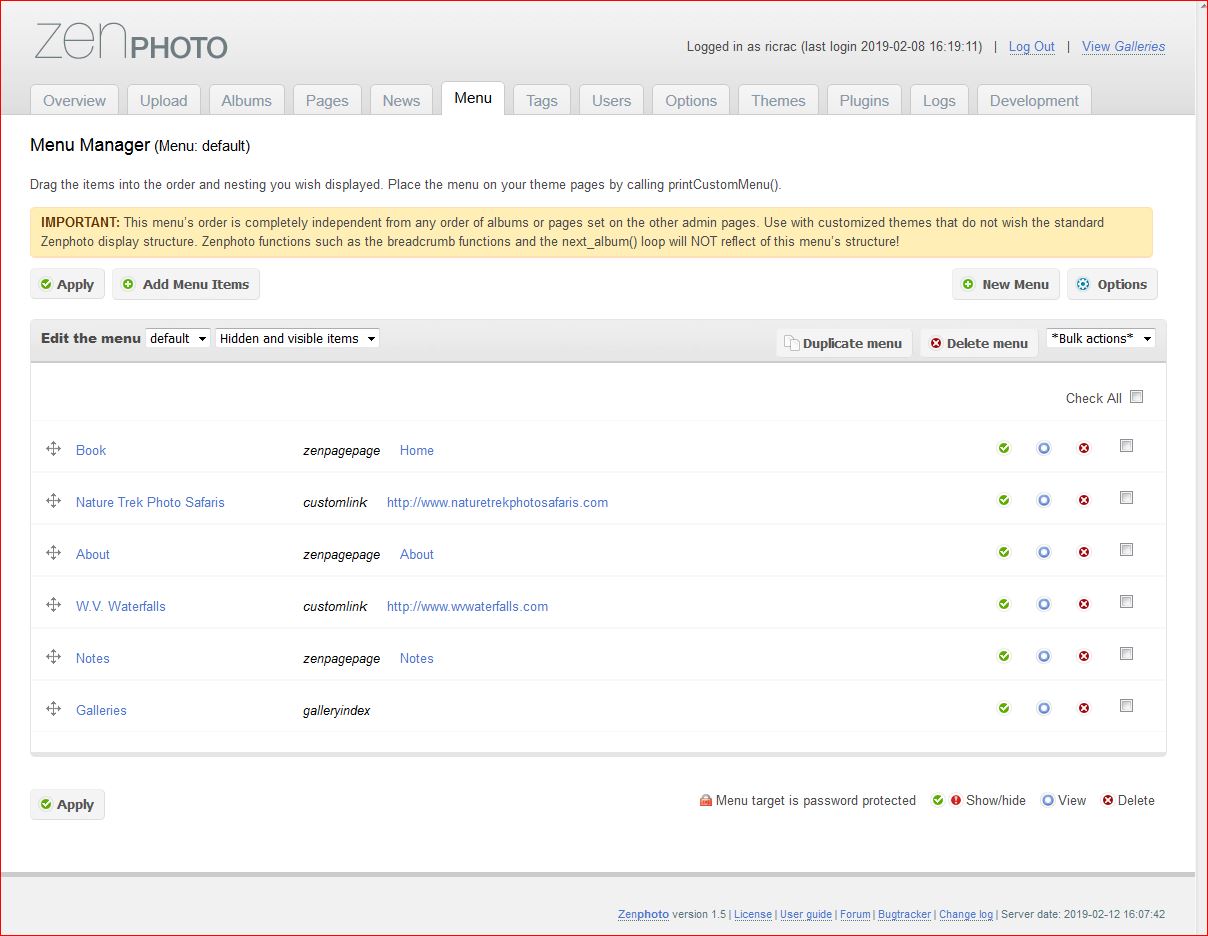
I think I have them right. Here's a sreencap of the menu items.
https://www.rickhartigan.com/zen/albums/errata/Capture.JPG
Administrator
Administrator
acrylian   13-02-2019, 10:52
#12

That's look good. Now you have to make sure the the theme uses this menu set.

  
Powered By MyBB, © 2002-2026 MyBB Group.
Made with by Curves UI.