@fretzl
my theme have a specific js file to configure fancybox (js/zpB_fancybox_config.js) and this is the better way to add some code rather add it in fonction.php as you suggested.
but thanks for it :-)
@tplowe56
thanks for the tips to hack fancybox core, but it requires to hack jquery.fancybox.js and then minify it in jquery.fancybox.min.js
I created a ticket on fancybox's github (https://github.com/fancyapps/fancybox/issues/2545), and with all answears, there are some ways to configure fancybox to suit your needs.
for exemple, you can change js/zpB_fancybox_config.js like that:
$(document).ready( function() {
    $().fancybox({
        // FancyBox shows only filtered items with Isotope
        selector : $("#isotope-wrap").length ? '.isotope-item:visible > [data-fancybox="images"]' : '[data-fancybox="images"]',
        loop : true,
        preventCaptionOverlap: true,
        idleTime : 10,
        margin : [20, 0],
        buttons : [
            'thumbs',
            'slideShow',
            'close'
        ],
        protect : true,
        animationEffect : 'fade',
        touch : {
            vertical : false
        },
        slideShow : {
            autoStart : false,
            speed : 3000
        },
        clickContent : function( current, event ) {
            return current.type === 'image' ? 'toggleControls' : false;
        },
        clickSlide : false,
        clickOutside : false,
        dblclickContent : function( current, event ) {
            return current.type === 'image' ? 'next' : false;
        },
        caption : function( instance, item ) {
            if ($(this).find('.caption').length) {
                return $(this).find('.caption').html();
            } else {
                return $(this).attr('title');
            };
        },

        mobile : {
            thumbs : false,
            idleTime : 5,
            clickContent : function( current, event ) {
                return current.type === 'image' ? 'toggleControls' : false;
            },
            dblclickContent : function( current, event ) {
                return current.type === 'image' ? 'next' : false;
            },
            dblclickSlide : false,
        },
    });
});
I changed/added
        preventCaptionOverlap: true,
        idleTime : 10,
in global options
and
        mobile : {
            thumbs : false,
            idleTime : 5,
for mobiles options
let me know if it's OK for you with these changes
Thanks so much Vincent. That works great. To be honest, I never knew that "min" was a minified version of a larger file. Your method is very clean and simple.
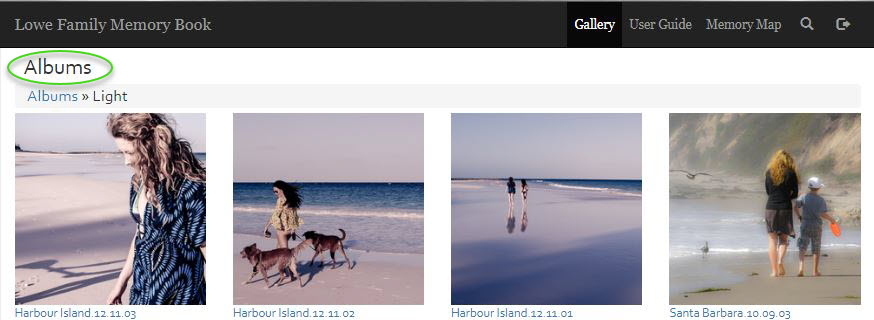
I have one further question. What file would I edit to remove the word "Album" and adjust the remaining margin in my header. It seems a bit redundant. Thanks for all your help

it is not so easy at it seems...
This title in Gallery/Albums/Images pages is also used for pages title.
As far i can see, you use zenpage plugin to mange some pages (User Guide and Memory Map).
I can point you the code to remove, but it also remove titles of theses pages.
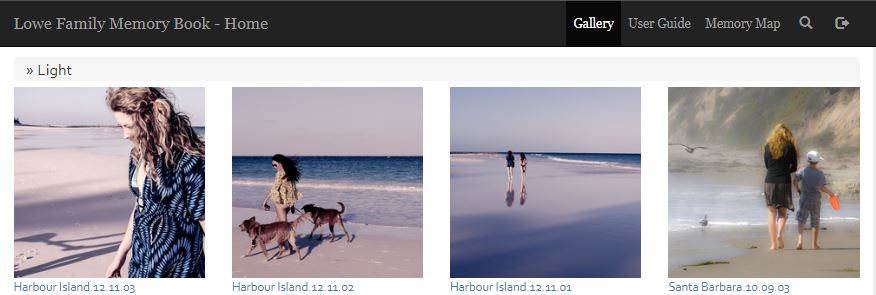
Vincent, I discovered that if you leave the "Gallery Title" blank at admin>>options>>gallery it will eliminate the Title line in the header but not effect pages titles. The one adverse side effect is that it eliminates the root folder in bread crumbs.
But it does allow a very clean look, as I have also eliminated some other elements in the header.